





how to control a moving head light with dmx? | Insights by LQE
- Introduction to DMX Control for Moving Head Lights
- What Are Moving Head Lights?
- How Does DMX Control Work?
- Setting Up a DMX System for Moving Head Lights
- Programming Moving Head Lights Using DMX
- Common Issues and Troubleshooting
- Considerations When Purchasing Moving Head Lights
- Integrating Moving Head Lights into Automated and Networked Systems
- Conclusion: The Advantages of LQE Moving Head Lights
Introduction to DMX Control for Moving Head Lights
Controlling moving head lights with DMX (Digital Multiplex) is essential for creating dynamic and precise lighting effects in stage productions. This guide provides a comprehensive overview of the process, from setup to advanced programming techniques, tailored for professionals in the LED stage lighting industry.
What Are Moving Head Lights?
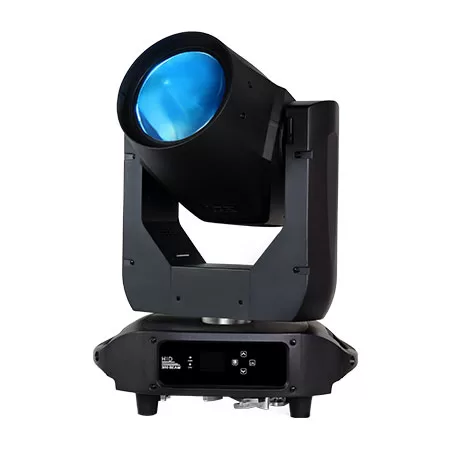
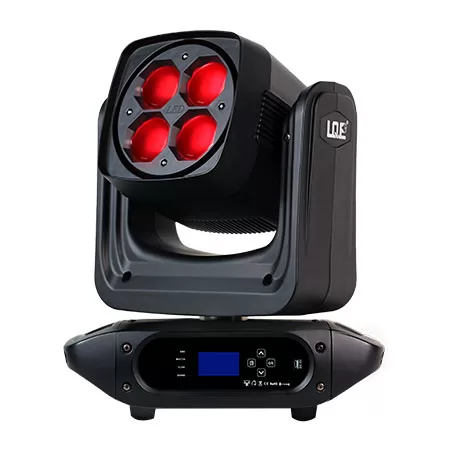
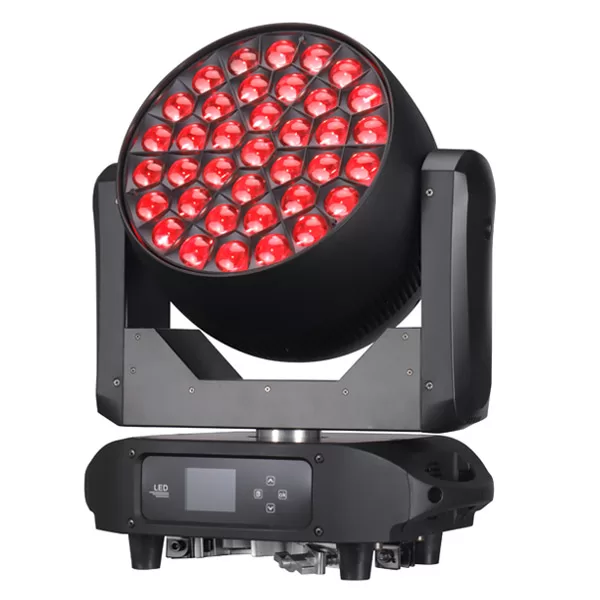
Moving head lights, also known as intelligent lights, are versatile fixtures that offer dynamic movements and various special effects. They can pan (horizontal rotation) and tilt (vertical rotation), and often include features like color mixing, gobo patterns, and strobe effects. These capabilities make them indispensable in modern stage lighting designs.
How Does DMX Control Work?
DMX512 is the industry-standard protocol for controlling stage lighting and effects. It allows for precise control over multiple parameters of moving head lights, including:
- Pan and Tilt Movements: Horizontal and vertical positioning.
- Color Control: Selection and mixing of colors.
- Gobo Patterns: Projection of various shapes and patterns.
- Intensity and Strobe Effects: Brightness adjustments and flashing effects.
Each of these parameters is assigned to specific DMX channels, enabling detailed programming and synchronization of lighting effects.
Setting Up a DMX System for Moving Head Lights
Proper setup is crucial for reliable operation. Follow these steps:
- Connect the DMX Controller: Use a 5-pin XLR cable to connect your DMX controller to the first moving head light's DMX input.
- Daisy-Chain the Fixtures: Connect the DMX output of the first fixture to the DMX input of the next, and so on, creating a daisy chain.
- Set Unique DMX Addresses: Assign a unique DMX start address to each fixture to prevent channel overlap. For example, if a fixture uses 16 channels, set the first fixture to address 1, the second to 17, and so on.
- Terminate the DMX Line: Place a DMX terminator at the end of the chain to prevent signal degradation.
- Power On the System: Turn on the fixtures first, then the DMX controller, to ensure proper initialization.
Programming Moving Head Lights Using DMX
Programming involves creating cues, scenes, and chases:
- Cues: Individual fixture settings stored in the controller.
- Scenes: Combinations of cues that create specific lighting looks.
- Chases: Sequences of scenes that produce dynamic lighting effects.
Utilize your lighting console or software to program these elements, adjusting parameters like pan, tilt, color, and gobo patterns to achieve the desired effects.
Common Issues and Troubleshooting
Be aware of potential issues:
- No Response to DMX Controller: Check DMX cable connections, ensure correct addressing, and verify that the fixture's display board is functioning properly.
- No Light Output: Inspect the light source (lamp or LED chip), ignitor (LED driver), and PCB boards for faults.
- Color/Gobo Not Responding: Ensure signals are reaching the fixture, and check the sensors and motors associated with color/gobo selection.
- Pan/Tilt Not Working Properly: Examine the connection between the motor and PCB board, verify signal reception, and check for loose belts.
Considerations When Purchasing Moving Head Lights
When procuring moving head lights, consider the following:
- Channel Count: Determine the number of channels required for your lighting design.
- Fixture Features: Assess the range of movements, color mixing capabilities, and special effects offered.
- Build Quality: Ensure durability and reliability for consistent performance.
- Manufacturer Support: Look for reputable manufacturers that offer comprehensive support and documentation.
Integrating Moving Head Lights into Automated and Networked Systems
For advanced control, consider integrating moving head lights into automated and networked systems:
- Remote Device Management (RDM): An addition to the DMX512 protocol, RDM allows for bidirectional communication, enabling remote configuration and monitoring of fixtures. This enhances control and simplifies maintenance.
- Ethernet-Based Protocols: Protocols like ArtNet or sACN provide network-based control, allowing for more extensive and flexible lighting setups.
Conclusion: The Advantages of LQE Moving Head Lights
LQE offers a range of moving head lights that combine advanced features with user-friendly control. Their fixtures are designed for seamless integration into DMX-controlled environments, providing reliable performance and exceptional lighting effects. With LQE, you can elevate your stage productions to new heights, ensuring a captivating visual experience for your audience.
1000w
What Is the Warranty Offered by LQE Lighting?
LQE lighting offers a comprehensive 1-year warranty and spare parts on its products, giving customers peace of mind and investment protection.
Does LQE Offer Customized Stage Moving Light Solution?
An experienced R&D team can provide customized digital stage lighting OEM/ODM solution service to meet clients’ unique demands from global markets, such as customized CRI parameter, Ingress protection rating, effect, etc.
Distributor
What are the advantages of becoming an LQE distributor?
Access to high-performance, patented lighting products
Competitive factory pricing and excellent profit margin potential
Strong R&D capabilities with 80+ national patents
Reliable production capacity: 100,000 units annually
Dedicated account manager to support your growth
What types of companies can become LQE distributors?
We welcome partnerships with companies that have experience in the entertainment, AV, lighting, or stage equipment industries. Whether you are a local reseller, importer, system integrator, or project contractor, we are open to exploring win-win cooperation.
How can I apply to become a distributor?
Simply fill out the contact form on this page or email us directly with your company information, market background, and cooperation intention. Our sales team will get in touch with you within 1–2 business days.
Want to learn more information?
[Reach out to us and receive professional guidance, a personalized quote, and the best solution for your needs.]
LQE is a professional LED stage lighting manufacturer, focusing on OEM/ODM and high-end customization.
◼ Contact LQE
Email: nana@lqelighting.com
WhatsApp: +86 198 7848 9298
Address: No. 8 Road Liguan, Guanyao, Nanhai District, Foshan, China.
Linkedin
YouTube
Whatsapp: +8618924548390
TikTok